
A Budget View is a second way of arranging the same estimate — the owner's format, a lender's draw schedule, a roll-up by division — without disturbing your detailed budget. You can start one from the structure you have already built, from nothing at all, or from a copy of a view you made earlier.
To create a "Budget View" follow these steps.
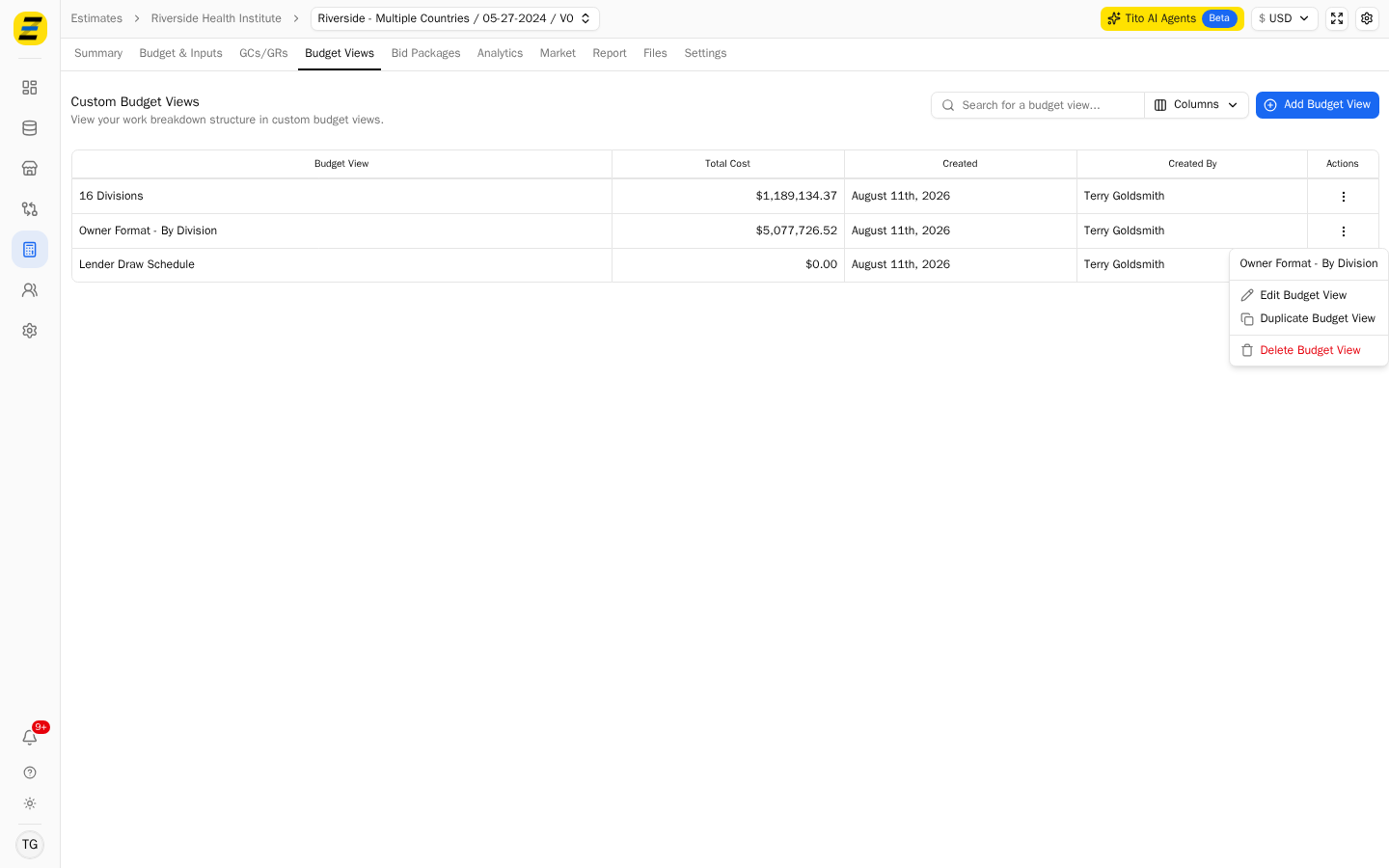
Navigate to the desired estimate and select the "Budget Views" tab. Any views already built for this estimate are listed here with their total cost, when they were created and who created them.
Press the blue "Add Budget View" button near the upper right corner. It offers two starting points — "From Detailed Budget" and "From Scratch".
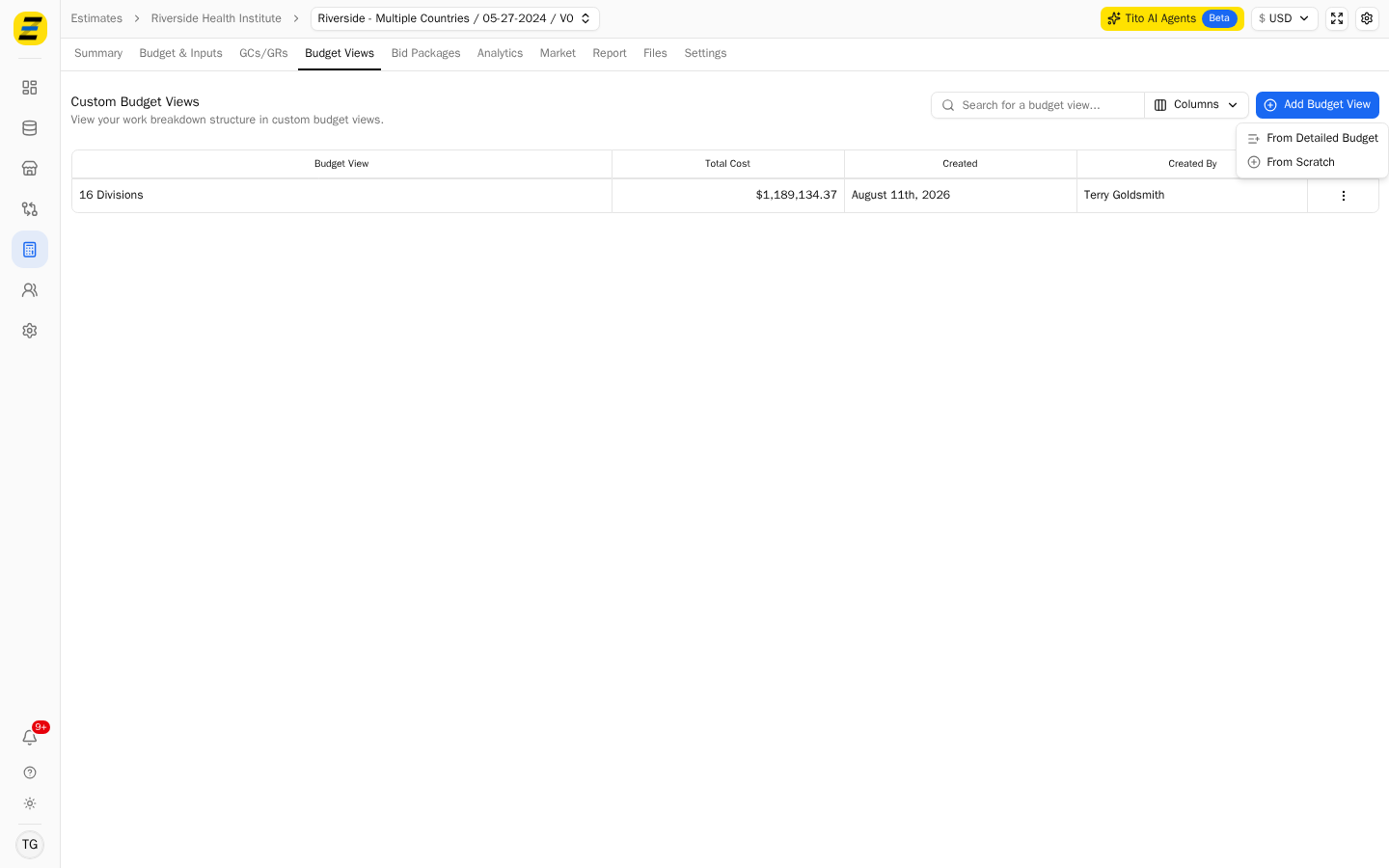
Choose "From Detailed Budget" when the new view is a rearrangement of costs you have already estimated. Type a "Name" and press "Save". I.e.. "Owner Format - By Division".
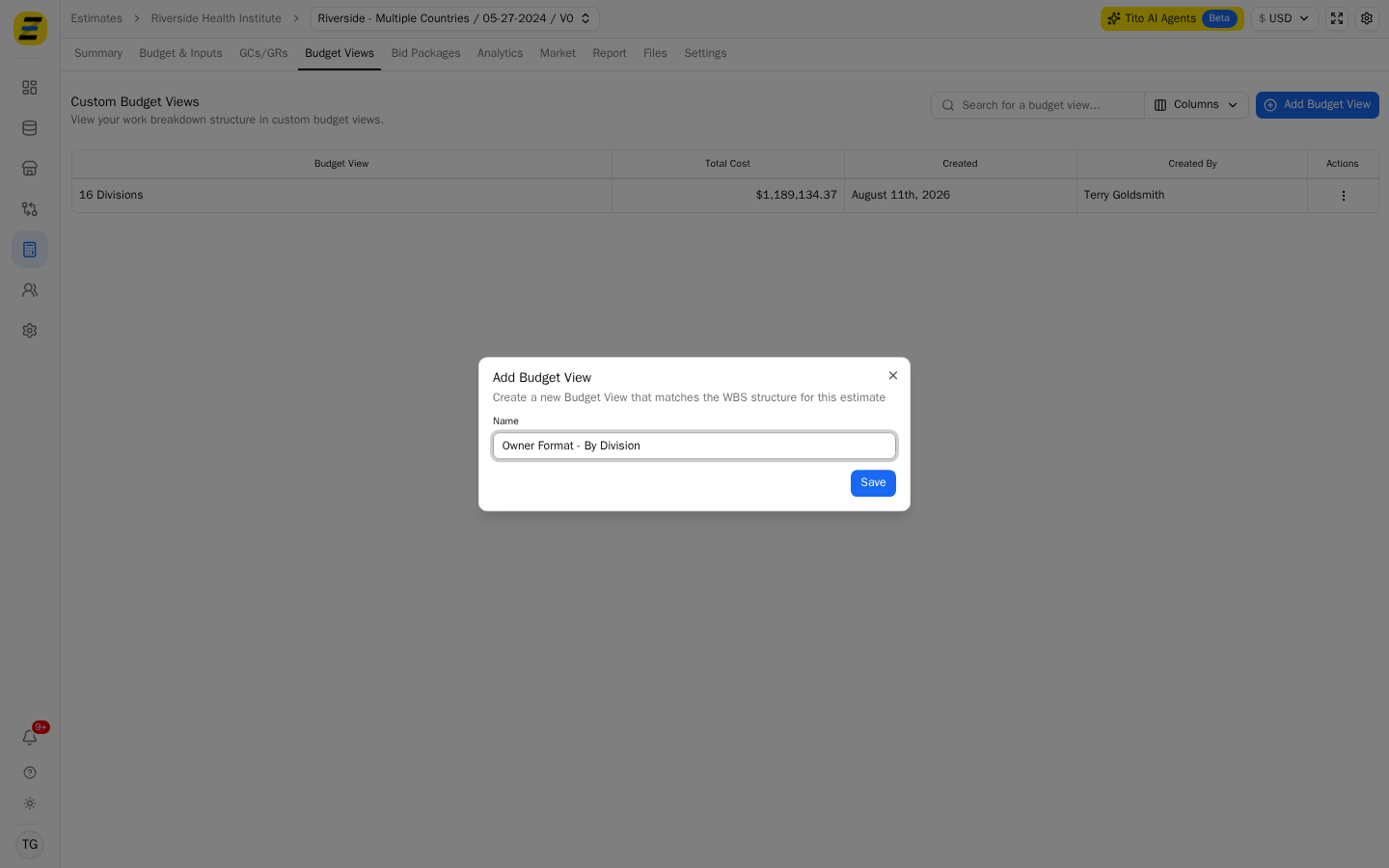
Zebel creates the view and opens it. It arrives already carrying your estimate's structure and costs — the cost bucket groups, their buckets and the totals — so you are rearranging rather than rebuilding.
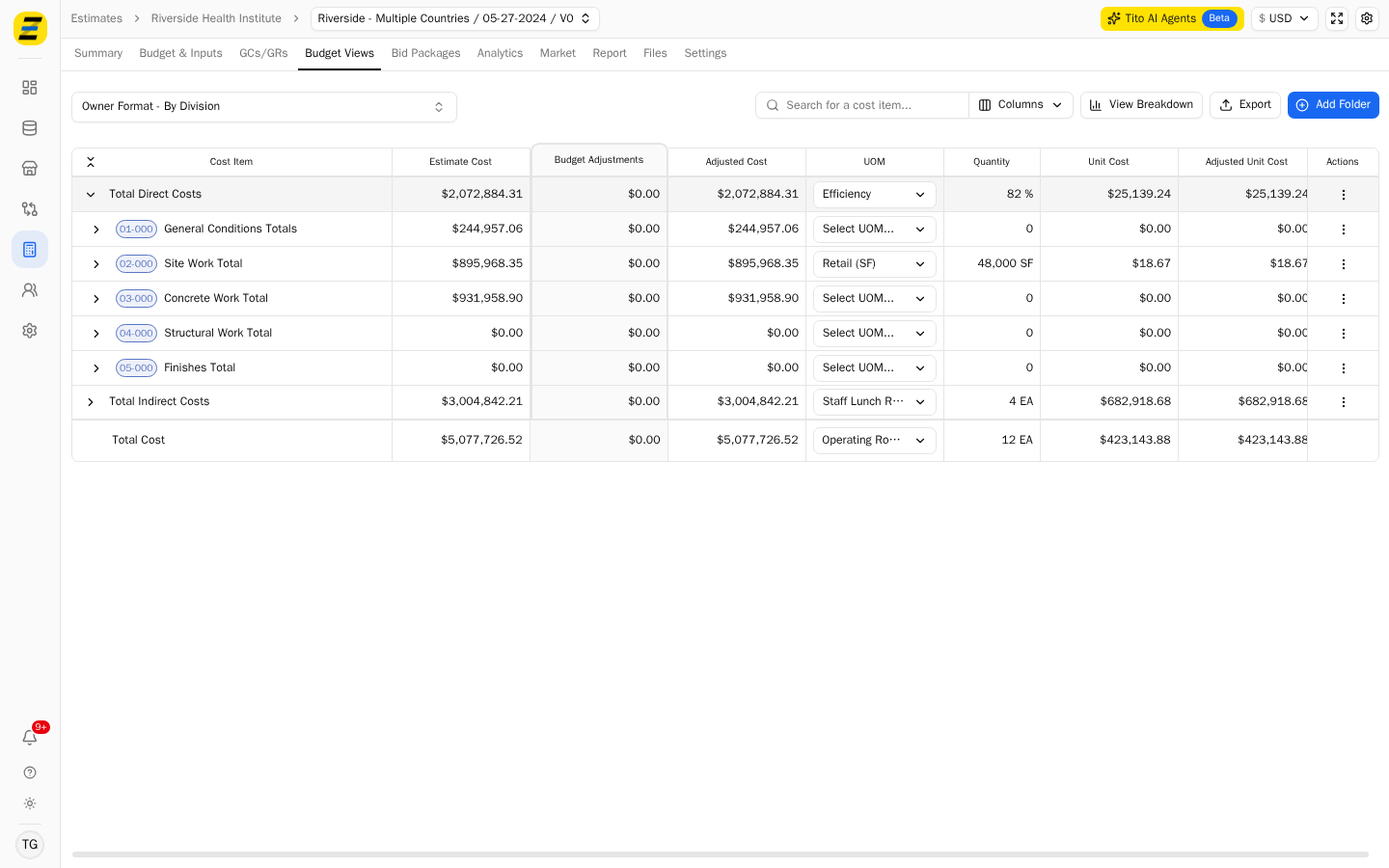
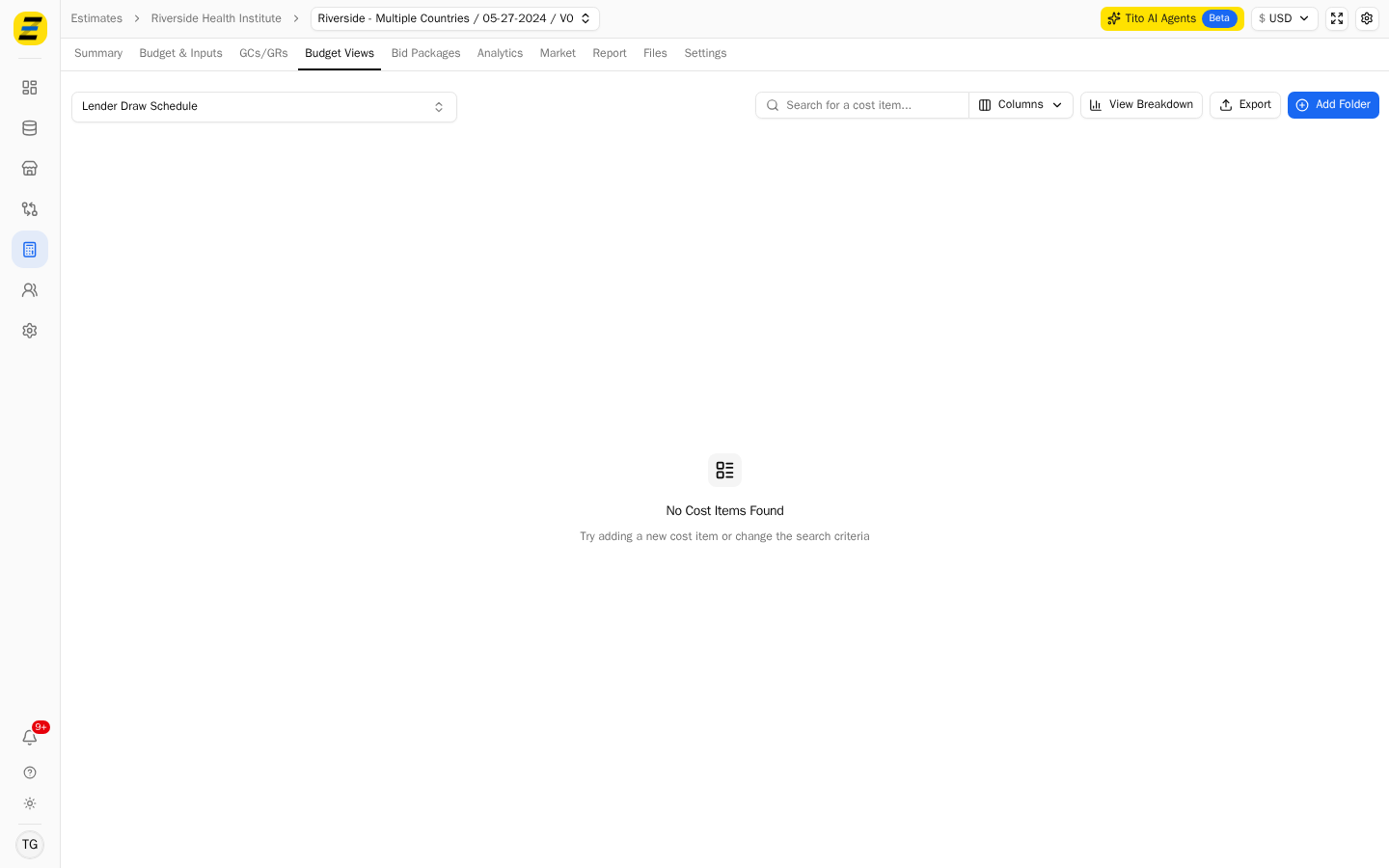
Choose "From Scratch" instead when the view has nothing to do with how your budget is organized. The dialog is the same, and its description tells you which one you are on — "Create a new Budget View from scratch".
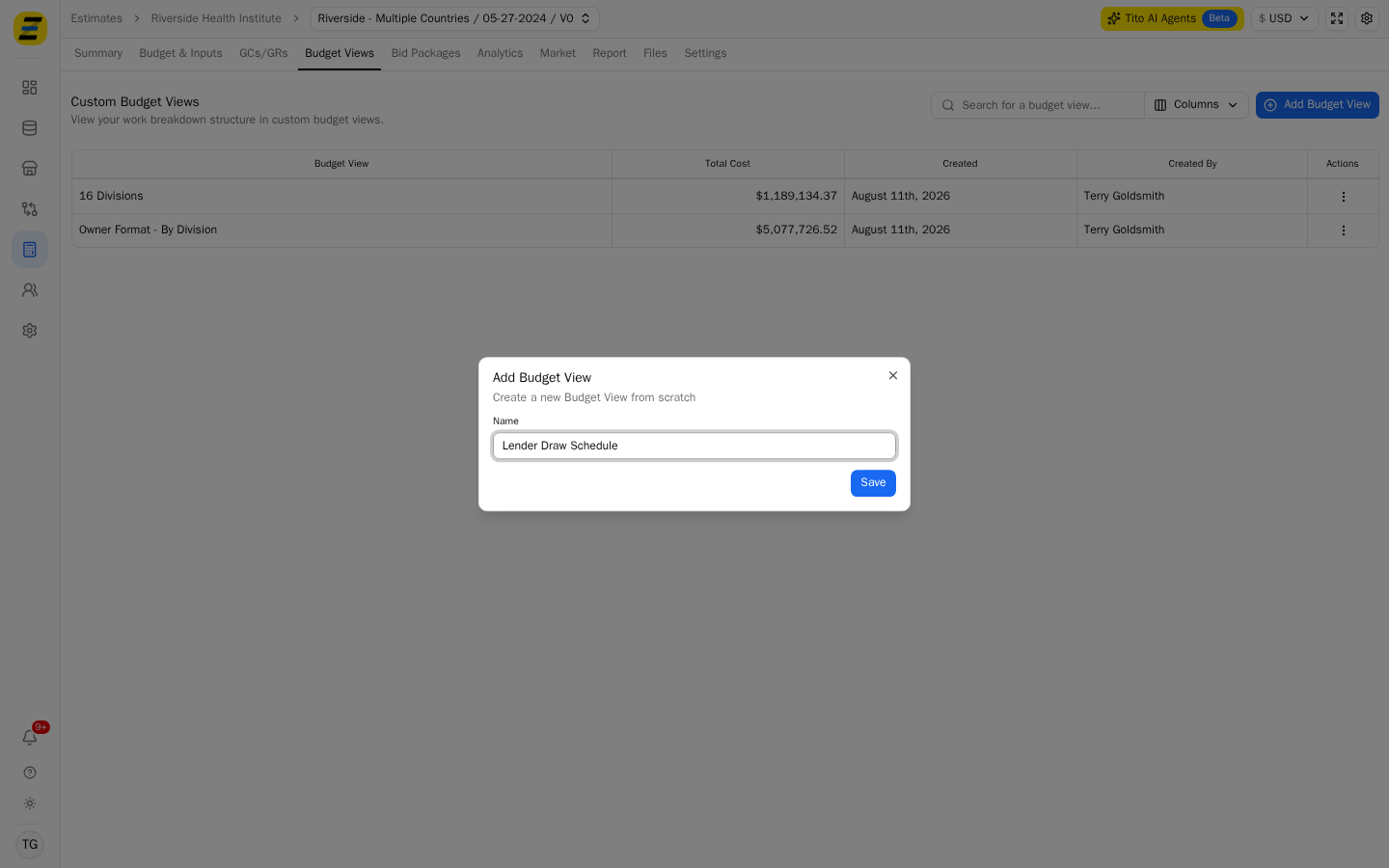
That view opens empty, with "No Cost Items Found". Press "Add Folder" near the upper right corner to start building the structure yourself.
There is a third way in. Press the "three dot" menu at the right hand end of any view in the list and choose "Duplicate Budget View" — useful when the new view is a variation on one you have already built. The same menu holds "Edit Budget View" to rename it and "Delete Budget View".
Once you are inside a view, use the dropdown in the upper left corner to switch between the views on this estimate without going back to the list.
Please note that a Budget View does not have to cover the whole estimate. The "Total Cost" column in the list is each view's own total — in the screenshots "Owner Format - By Division" totals $5,077,726.52, the whole estimate, while "16 Divisions" totals $1,189,134.37 because it covers only part of it.