
You have the ability to "Edit" project information in the "Project Database" page. The following "edit" options are available AFTER the project has been created.
"Project Name"
"Address"
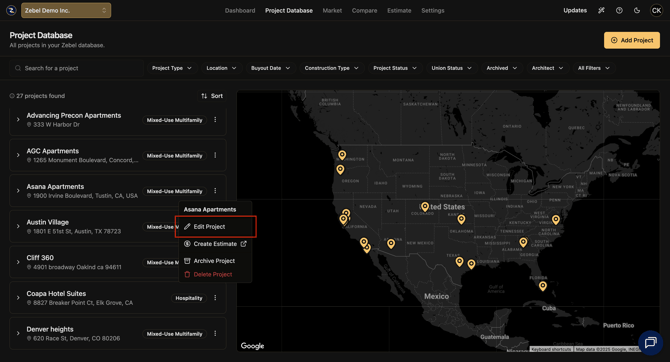
In order to "edit" the above information, navigate to or search the specific project you wish to "edit". Click on the "3 Dot" button located on the right side of the project tile.
Once done making your edits, be sure to press the yellow "Save Project" button located in the lower right corner of the "edit project" box.
Screenshot
Published 9/17/2025.