
Your estimate's inputs live in the "Inputs" sidebar, arranged in sections with groups of metrics inside them. You can take that whole structure out as a CSV, edit the numbers in a spreadsheet, and bring them back in — which is quicker than typing them one at a time when you are updating a lot of them at once.
To export your inputs to a CSV follow these steps.
Navigate to the desired estimate and select the "Budget & Inputs" tab. The "Inputs" sidebar runs down the left of the page.
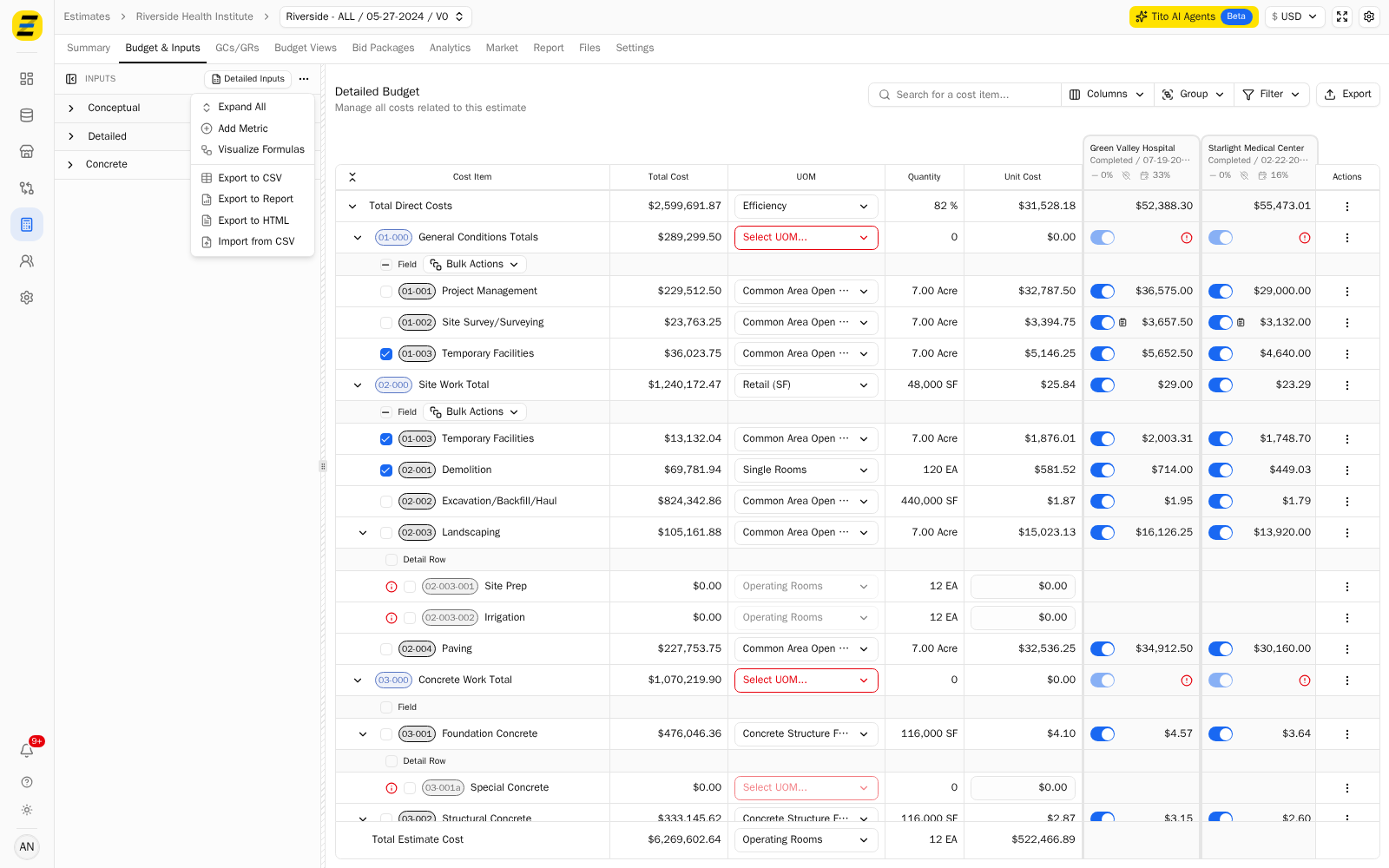
Press the "three dot" menu at the top right of the "Inputs" sidebar.
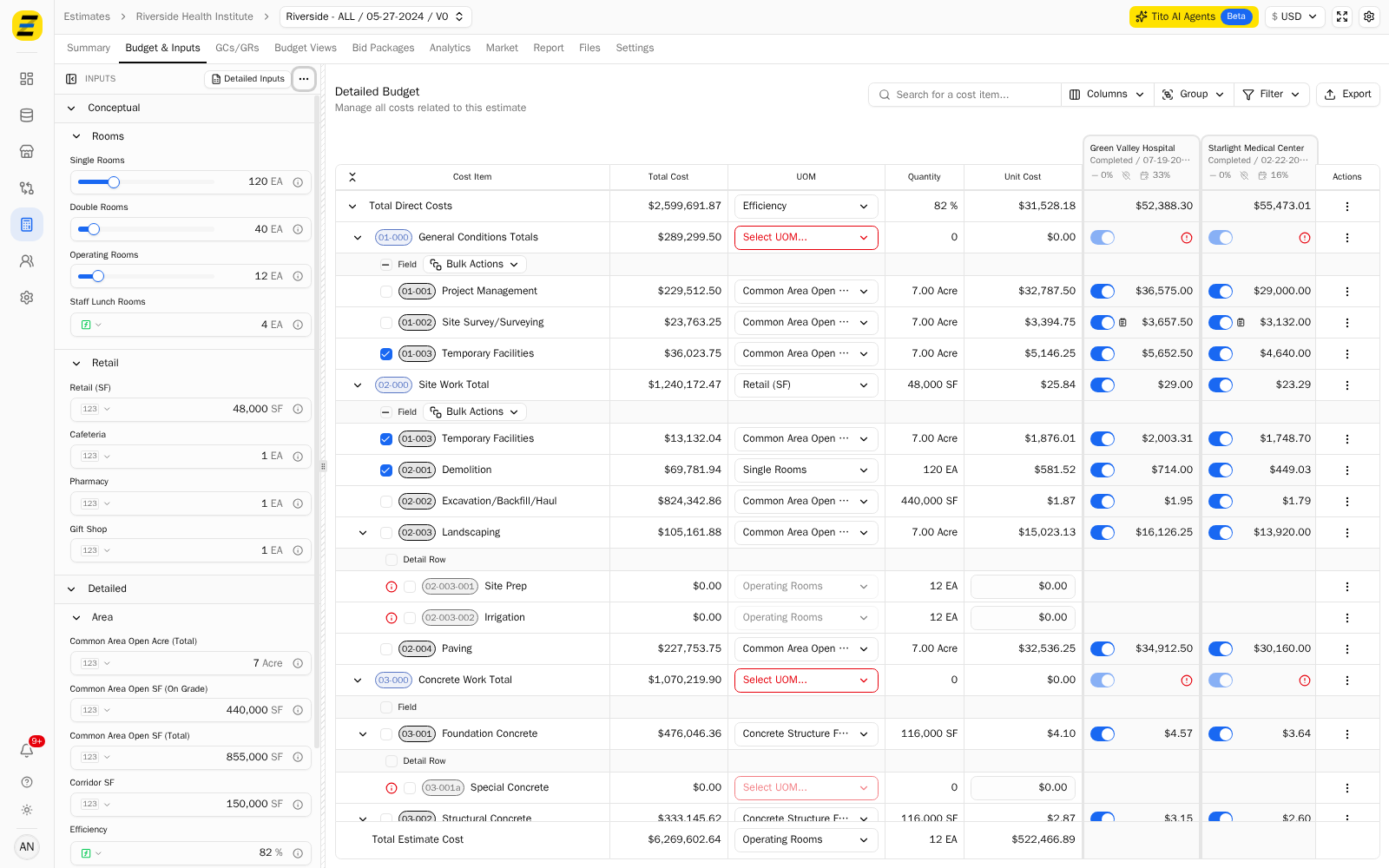
Select "Expand All" if you want to see the whole structure first. The sidebar nests in two levels — a section such as "Conceptual" or "Detailed", then a group such as "Rooms", "Retail" or "Area", with the individual metrics inside it.
Open the same menu and select "Export to CSV". The file downloads to your computer.
Open the file. It has three columns — "Label", "Value" and "Unit" — and it keeps the nesting by putting each group on its own row with no value and no unit, followed by the metrics that belong to it.
Label,Value,Unit
Rooms,,
Single Rooms,120,EA
Double Rooms,40,EA
Operating Rooms,12,EA
Area,,
Common Area Open SF (On Grade),"440,000",SF
Copy
Wrap
To import your inputs from a CSV follow these steps.
Edit the values in the CSV, leaving the "Label" column and the group rows as they are. Those rows are how Zebel matches what you send back to the metrics in the sidebar.
Press the "three dot" menu at the top right of the "Inputs" sidebar.
Select "Import from CSV" and choose your file.
The values in the sidebar update, and any costs driven by those metrics recalculate with them.
Please note that the same menu also carries "Export to Report" and "Export to HTML" if you want the inputs as a document rather than a spreadsheet, and that the CSV is a snapshot — exporting it does not keep it linked to the estimate, so an export taken this morning will not reflect a change made this afternoon.