
Several report blocks are tables, and the order their columns appear in is yours to set. Dragging a column up the list in the block's settings moves it left in the report, so you can put the figure your reader cares about first instead of accepting the default order.
Columns can be reordered in these blocks: "Cost Estimate", "Budget View", "Comparison", "Bid Package Summary" and "Inputs".
To reorder the columns in a report block follow these steps.
Navigate to the desired estimate and select the "Report" tab, then open the report you want to edit.
Press the block you want to change in the "Report Structure" panel on the right.
Open the "COLUMNS" section of the block's settings. Every column the block supports is listed, each with a grip handle on its left and a switch on its right.
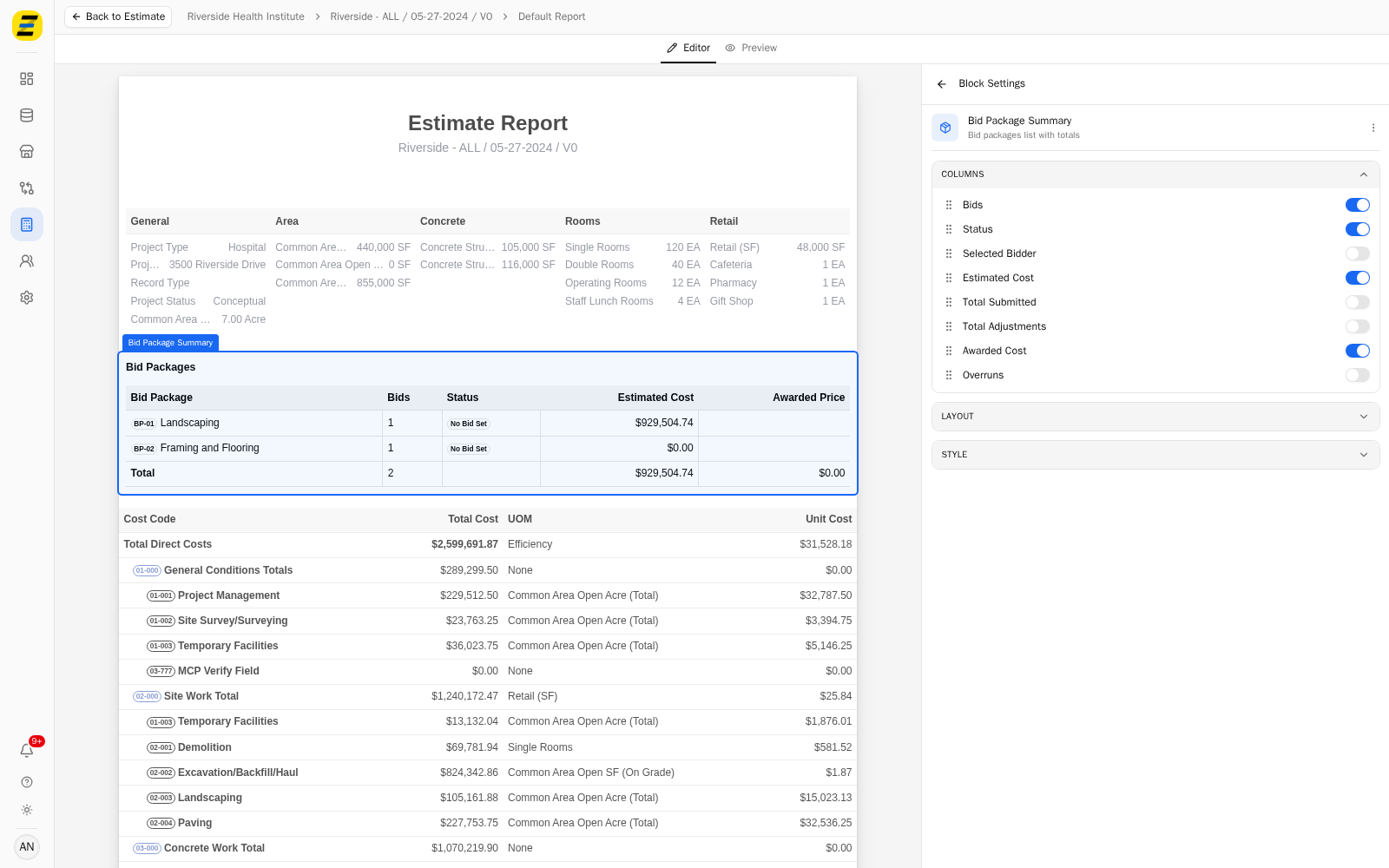
Press and hold the grip handle beside the column you want to move, drag it up or down to its new position, and release. The list only moves vertically, so you cannot drag a column out of it by accident.
The report preview updates as soon as you release. A column moved up the list moves left in the table.
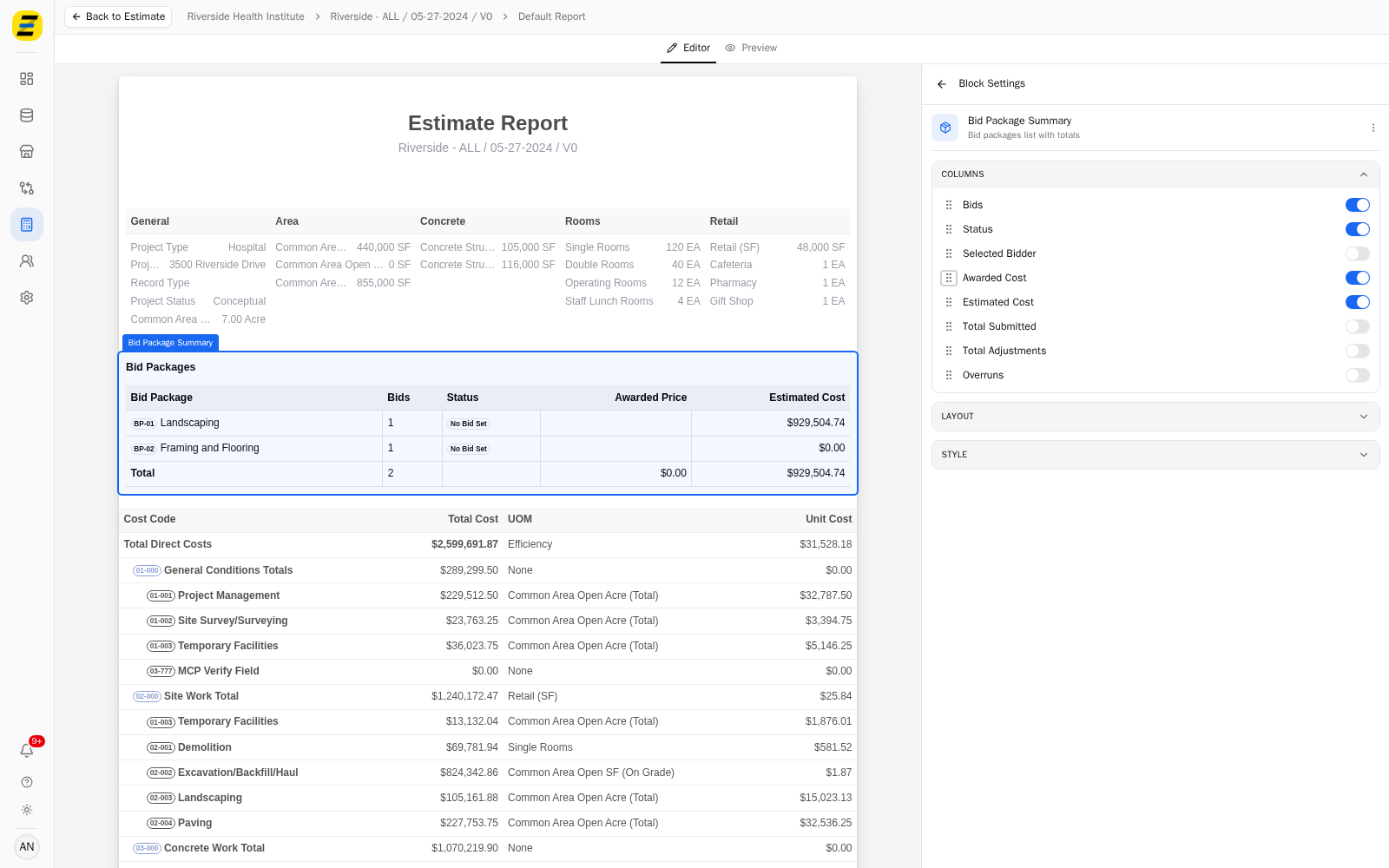
In this example "Awarded Cost" was moved above "Estimated Cost", and the table now shows "Awarded Price" before "Estimated Cost".
NOTE, you can reorder without a mouse. Press Tab to the grip handle, press Space to pick the column up, use the Up and Down arrow keys to move it, and press Space again to drop it.
NOTE, the order is saved with the block, not with the report, so two blocks of the same type in one report can show their columns in different orders.
NOTE, switching a column off does not change the order — it is simply not drawn. Switching it back on returns it to the position it held in the list, so you can hide a column temporarily without losing where you had put it.
NOTE, reordering requires editor access. A viewer sees the same list with the handles greyed out.
We recommend putting the column that answers the report's main question first. The leftmost column after the row label is the one a reader's eye lands on, and on a wide table the columns at the right-hand end are the ones most likely to be skipped.