
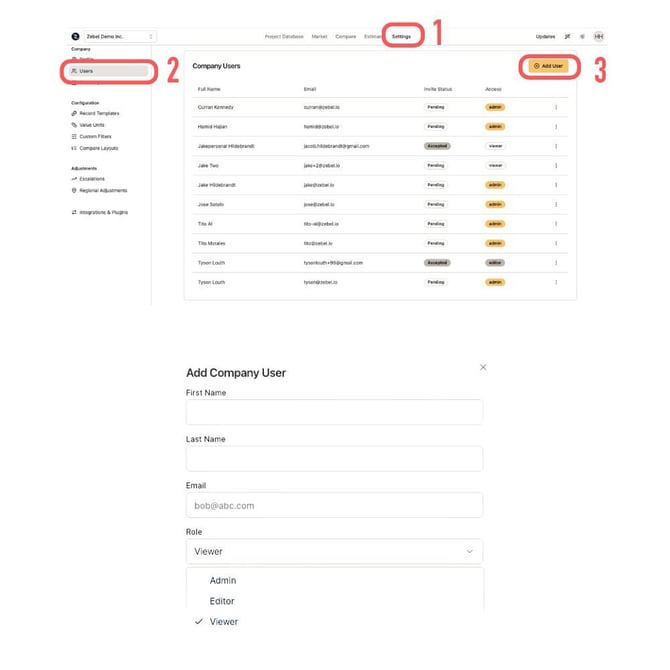
- Go to the "Settings" on the main menu at the top.
- Click on "Users" on the left menu.
- Click on the user and change the access level through the dropdown menu.
You need to have "Admin" level access in order to make any changes to your users' access level and add or remove users.