
Some questions you ask every bidder no matter what they are bidding on — permits, insurance, safety compliance, site access. "Project Specific Items" let you write those once on the estimate, and Zebel adds them to the end of every bid package automatically, so you are not rebuilding the same questions on each one.
To set up "Project Specific Items" follow these steps.
Navigate to the desired estimate and select the "Bid Packages" tab.
Select "Project Specific Items" from the menu on the left.
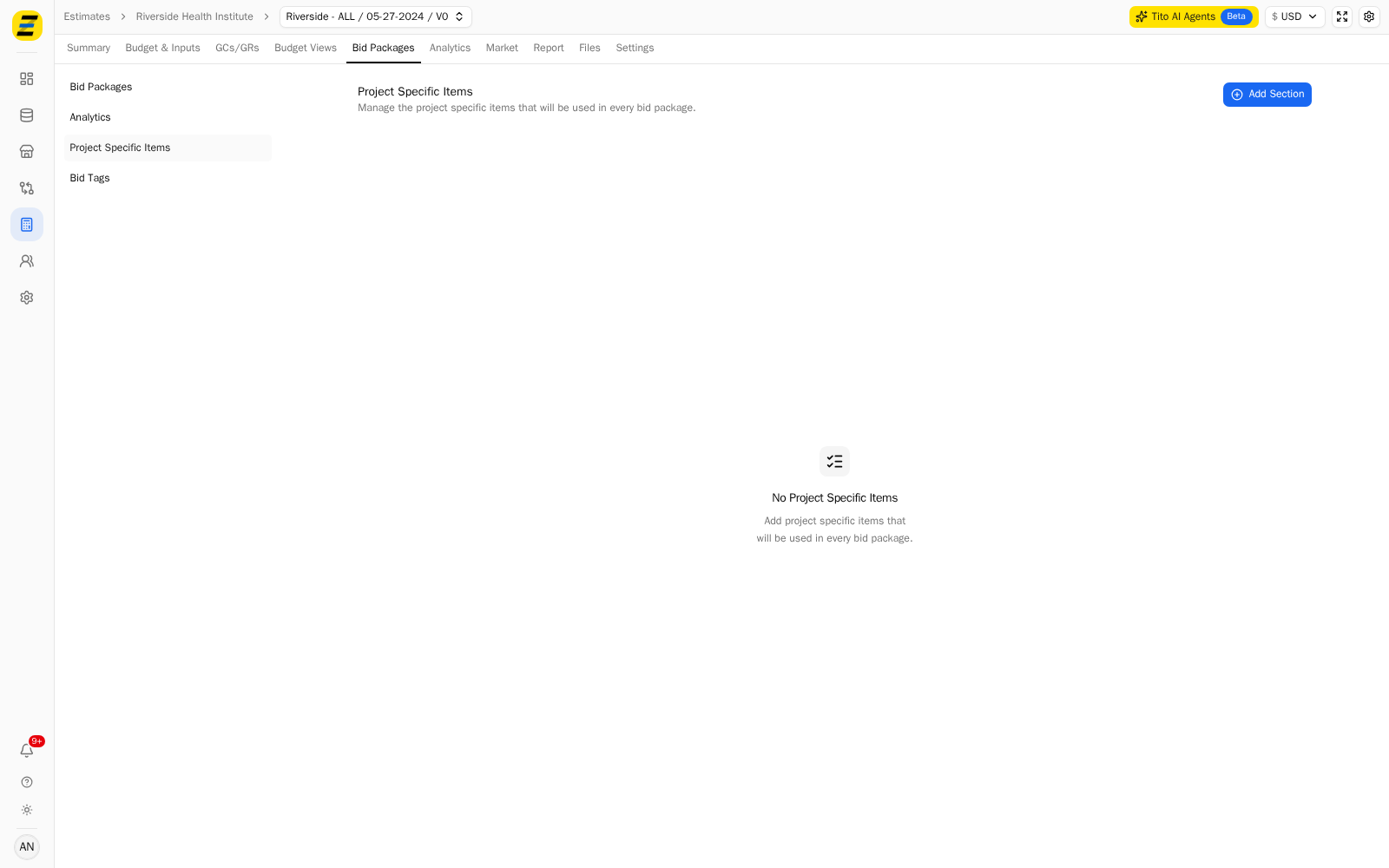
Press "Add Section" in the upper right.
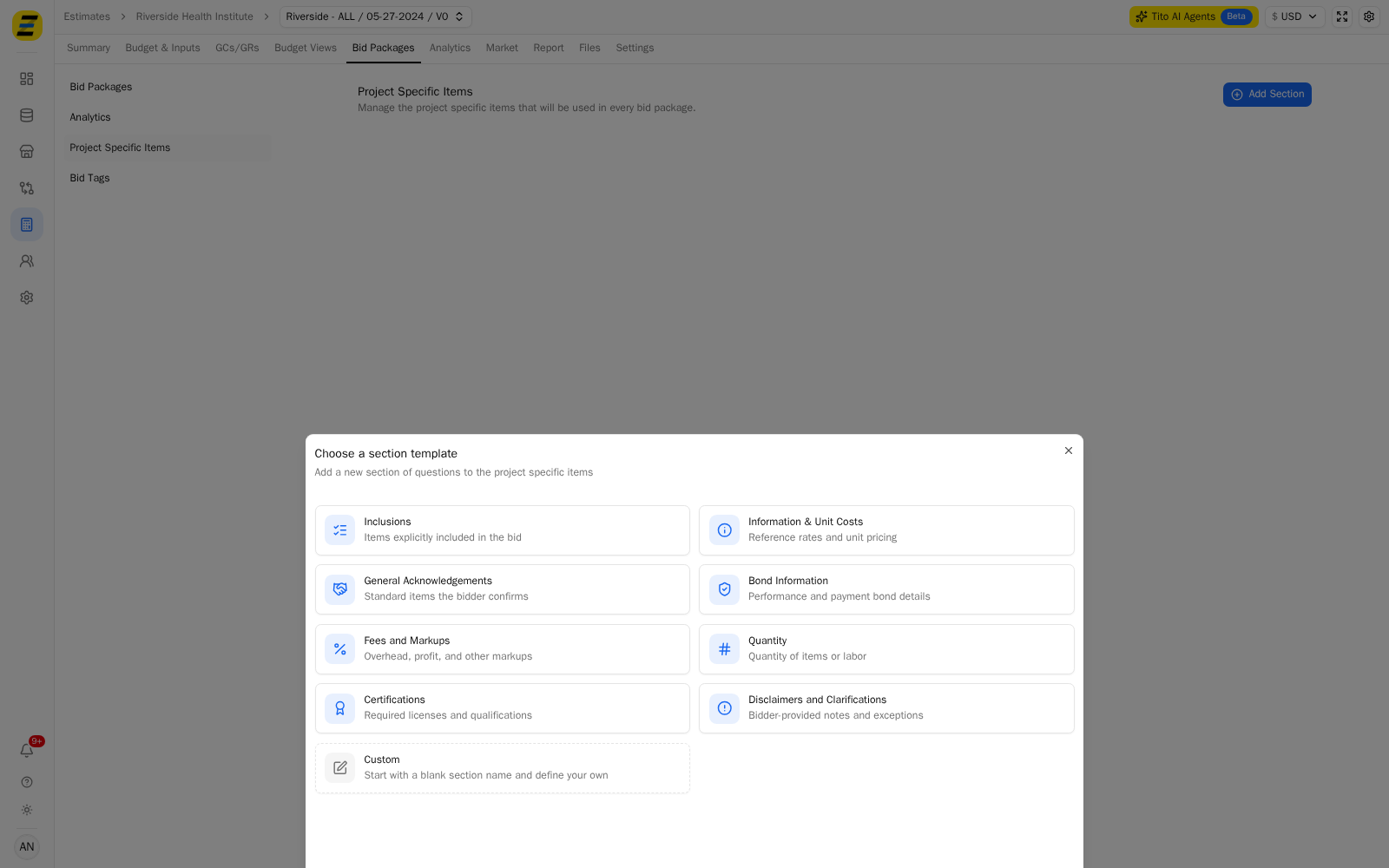
Choose a section template. Zebel offers "Inclusions", "Information & Unit Costs", "General Acknowledgements", "Bond Information", "Fees and Markups", "Quantity", "Certifications" and "Disclaimers and Clarifications", or press "Custom" to start from an empty one.
Give the section a "Name", and a "Description" if the bidder needs context for the questions in it. Choosing a template fills the name in for you.
Under "Items", type the question you want to ask into "Label" and choose its "Response Type" — for example "Yes / No".
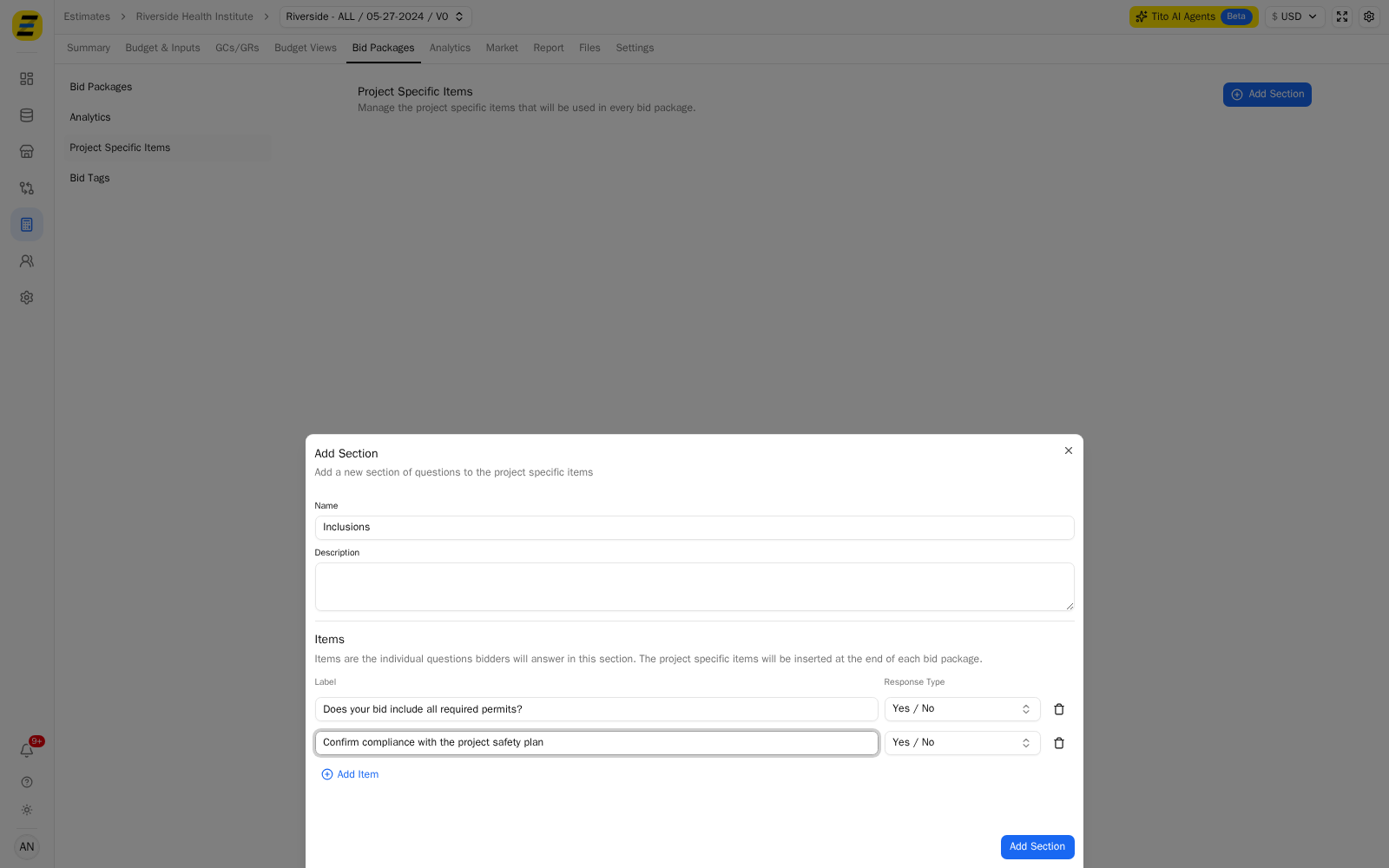
Press "Add Item" for each further question in the section.
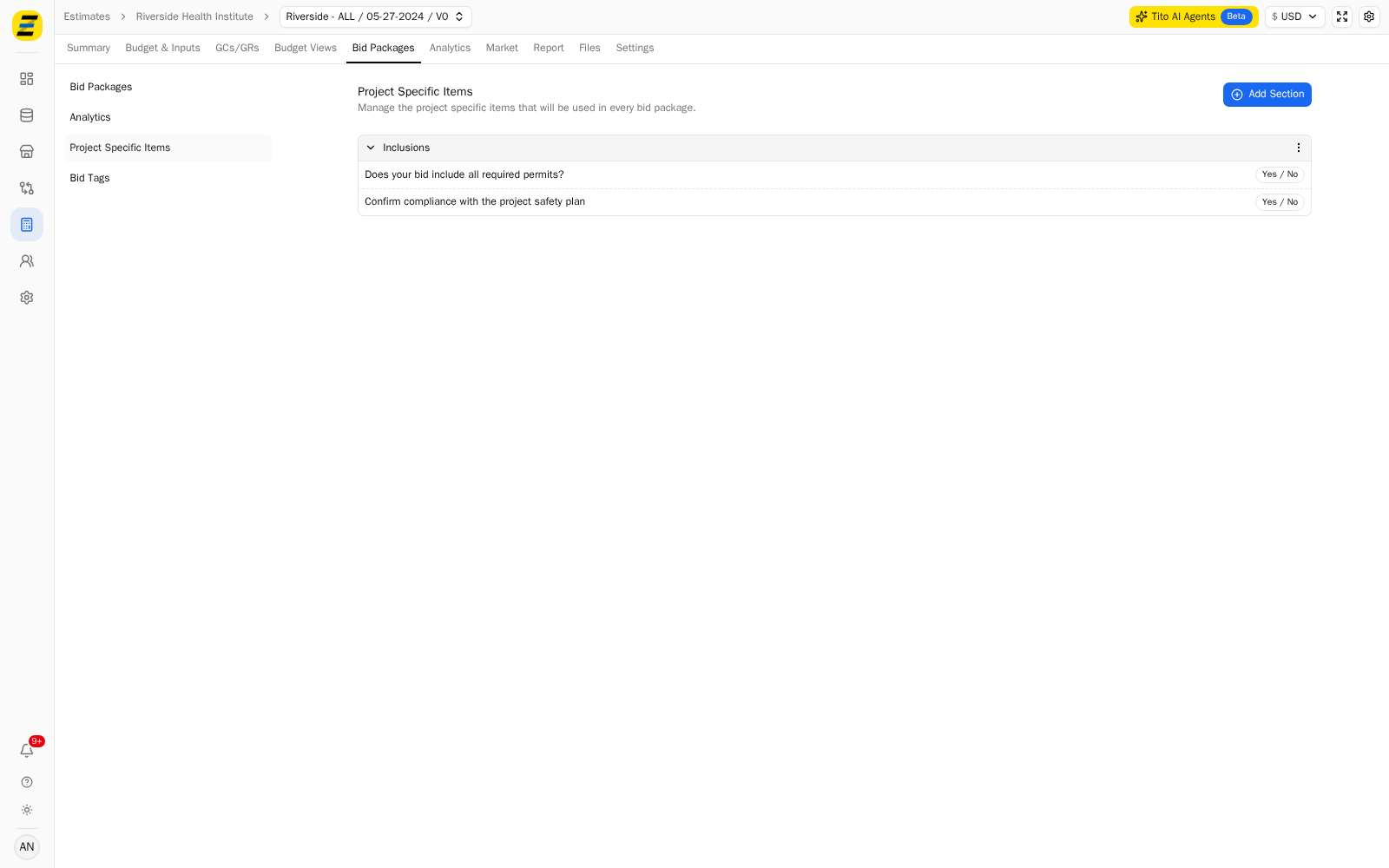
Press "Add Section" at the bottom of the dialog to save. The section and its items now appear on the "Project Specific Items" page.
Open any bid package on the estimate and scroll to the bottom. The section is there, beneath the package's own cost items, under a "Project Specific Items" heading.
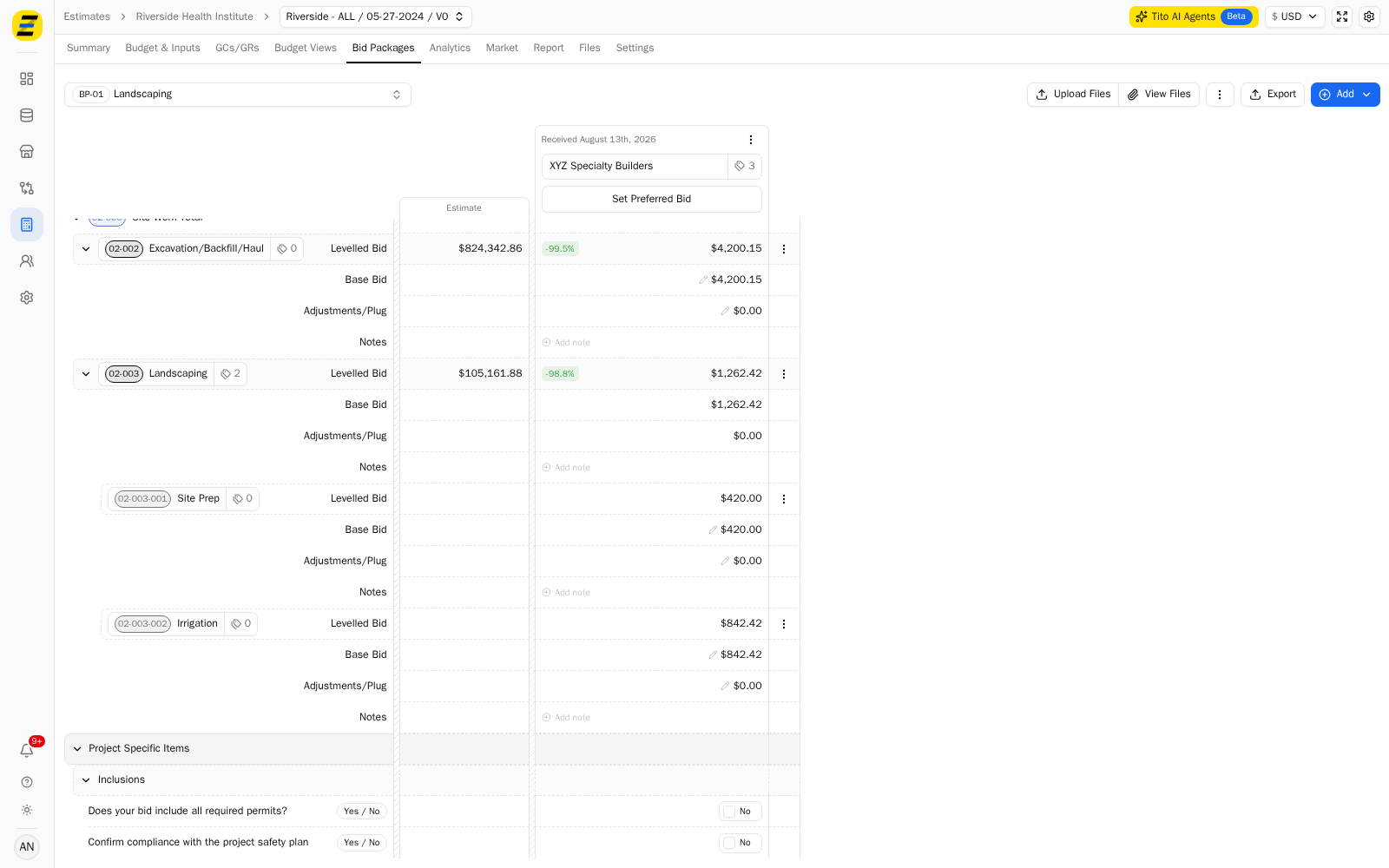
NOTE, you do not add these to each package. They are held once on the estimate and appended to every bid package, including packages you create later.
NOTE, bidders answer them per package, so each package records its own responses to the same questions. That is what lets you compare two bidders' answers side by side in the levelling view.
NOTE, you can set "Project Specific Items" up on a record template instead. Every new estimate created from that template starts with them already in place, which is worth doing for questions you ask on every job rather than every package.
We recommend keeping these to questions that genuinely apply to the whole project. Anything specific to one scope belongs on that package's own bid form — items placed here follow every package, and a bidder asked an irrelevant question tends to answer the relevant ones less carefully.